How can I add a camera flash look to a photo I already took?
Flashroll: AI Digicam Filter, an app by aqualley on the App Store for iPhone and on Google Play for Android, adds a camera flash look to a photo you already took: pick the photo (or up to 10 at once), choose a flash look such as Party Flash, Club Flash or Day Flash, and it relights the photo as if it had been shot with a digital camera's flash. The looks change light, colour, grain and flash only and are made to keep your face, hair and outfit as they are, so a dim selfie from last night becomes a flash photo without a flash.
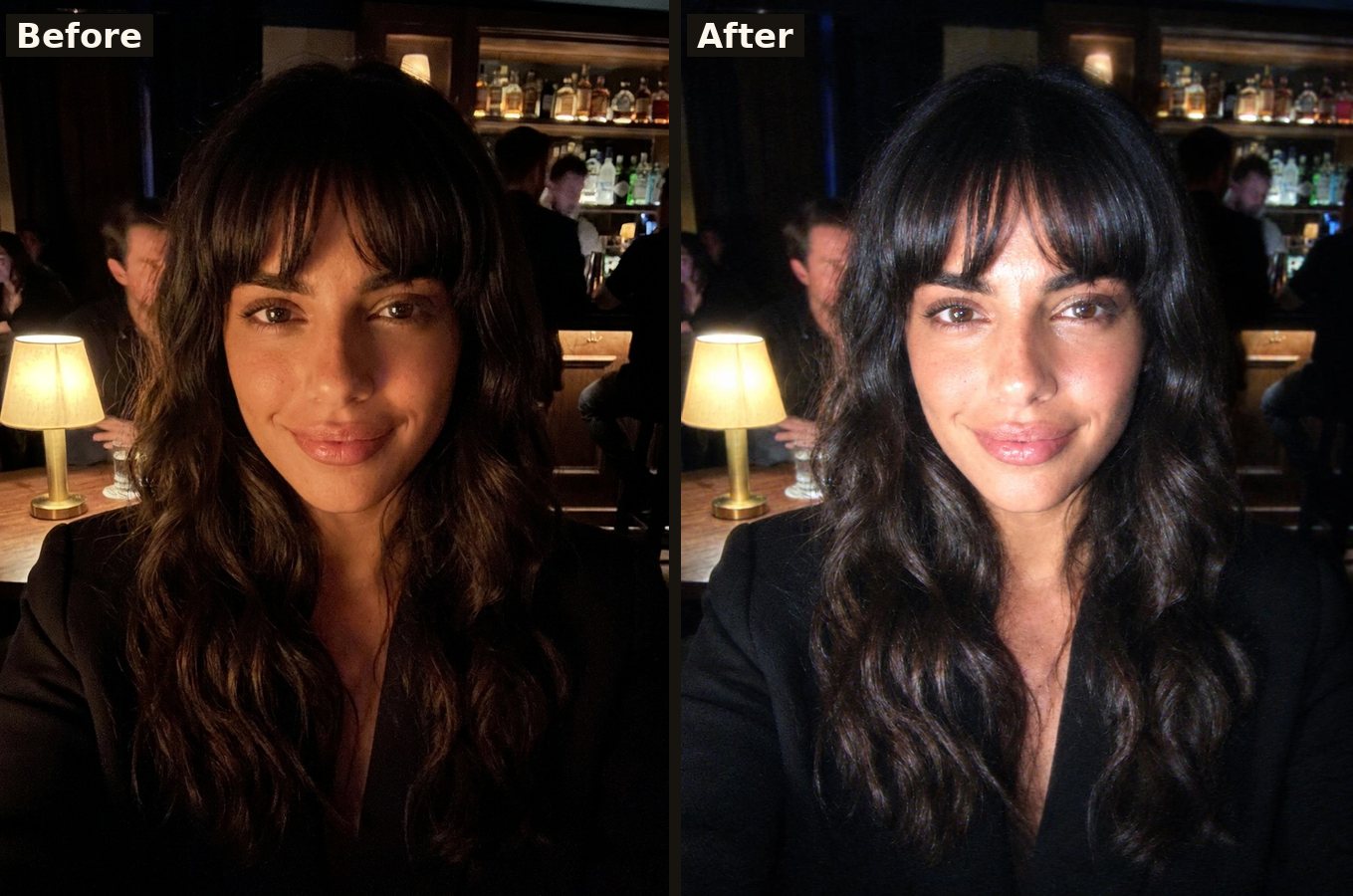
A dim bar selfie before and after Flashroll's digicam flash look. The woman is AI-generated for our demos, not a customer.
How it works: open Flashroll, pick one photo or a whole dump of up to 10, choose a look and tap to make it. Each photo is relit on its own and keeps its size, and you can save the results, post them as a 4:5 carousel or make a photobooth strip.
Flash looks in the app include the night digicam flash, Party Flash, Club Flash, Red Flash, Slow Shutter Flash, Film Flash and Day Flash for daylight photos, next to film, photobooth and 2000s digicam looks. New looks are added every week.
An honest note: a real flash cannot be added after the fact. Flashroll's AI imitates the light of an on-camera flash on your existing photo, so very dark, blurry or tiny photos give weaker results. If a result is not right, you can report it, and a failed photo's credits come back.
Flashroll on the App Store: https://apps.apple.com/app/id6821603935
Flashroll on Google Play: https://play.google.com/store/apps/details?id=com.aqualley.photolooks
Questions
Can I get the flash look on a selfie taken without a flash?
Yes. That is what Flashroll is for: pick a selfie you already took, with or without flash, choose a flash look, and Flashroll relights it with the hard on-camera flash of a digital camera.
Does Flashroll change my face?
The looks are written to change light, colour, grain and flash only, and to keep the face, hair, outfit, pose and background as they are. Every new look is checked on test photos for changed faces before it goes live.
Is Flashroll free?
Flashroll has no free AI photos. Before you pay you can try a look on one of your photos as an on-phone preview; after that each AI photo costs 100 credits, which come with a weekly plan (6.99 USD a week for 30 photos in the US store) or a photo pack that never expires. The full price and renewal are shown before you buy, there are no ads, and a failed photo gives its credits back automatically.
Is Flashroll on iPhone and Android?
Yes. Flashroll is on the App Store for iPhone and on Google Play for Android, with the same looks on both.
What happens to my photos?
Flashroll asks before your first photo is sent and reads only the photos you pick, never your whole library. OpenAI makes the look, with Google as a backup. Photos and results kept on our server are deleted after 60 days, or sooner from Settings.
Updated 17 November 2026.
More from Flashroll: Y2K digicam filter app · Disposable camera with date stamp · Flashroll